Skip to content
Smart Bike
Español

Personal project · Android

Make your trainer a smart bike

With the phone mounted on the bike, the trainer, shifters, heart rate monitor, fan and Zwift are all run from one place, without touching the screen while you ride.

See the codeWhat it does

It started so a Tacx Neo 1 could use the virtual gears of an Elite Square frame.

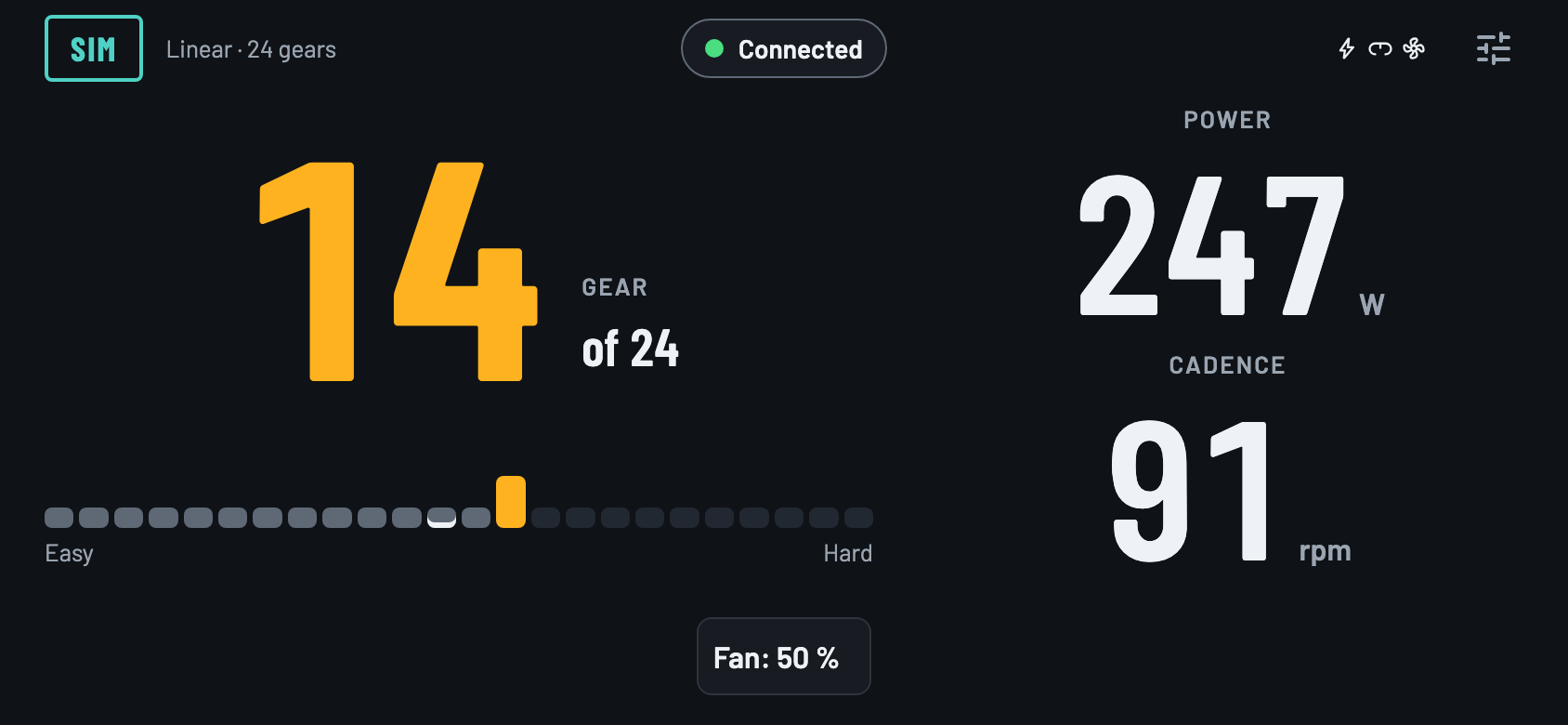
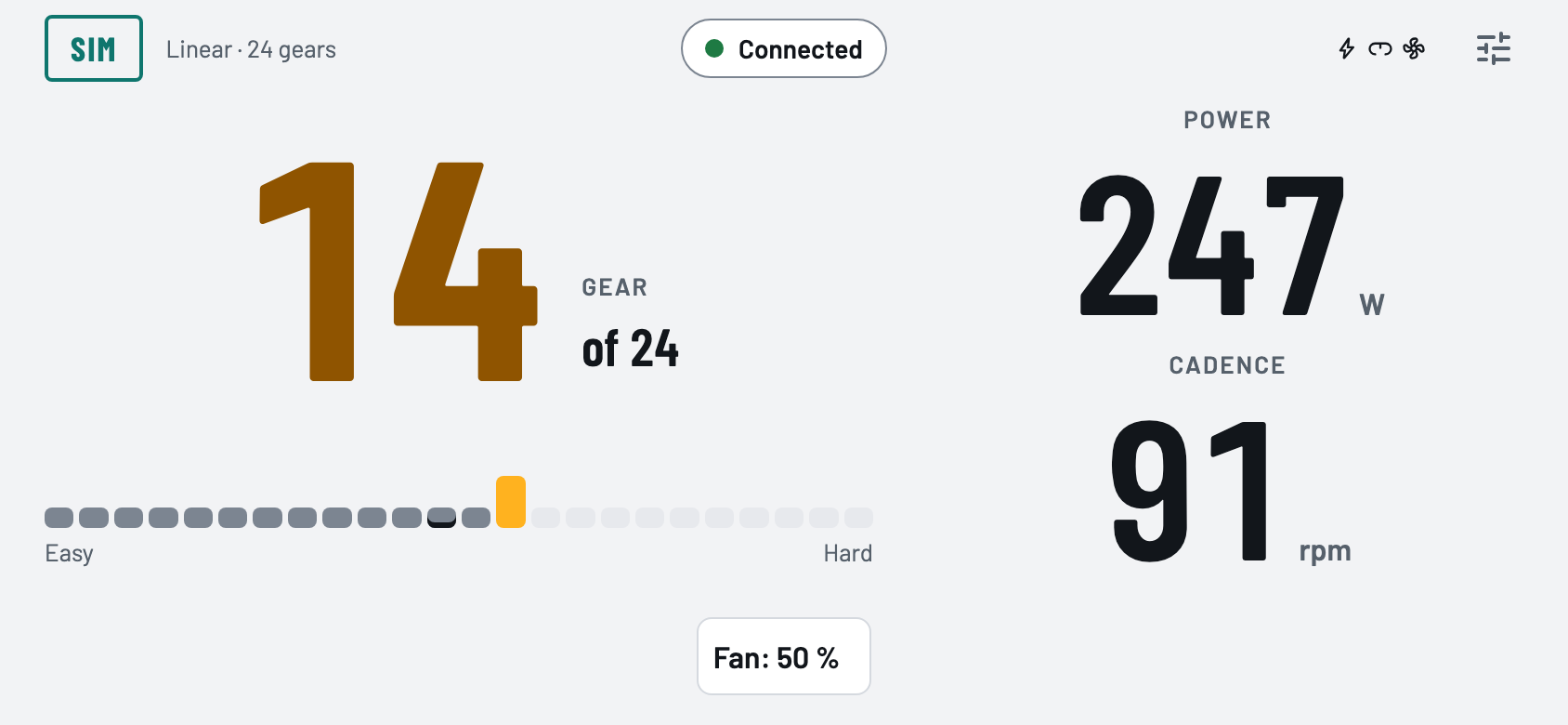
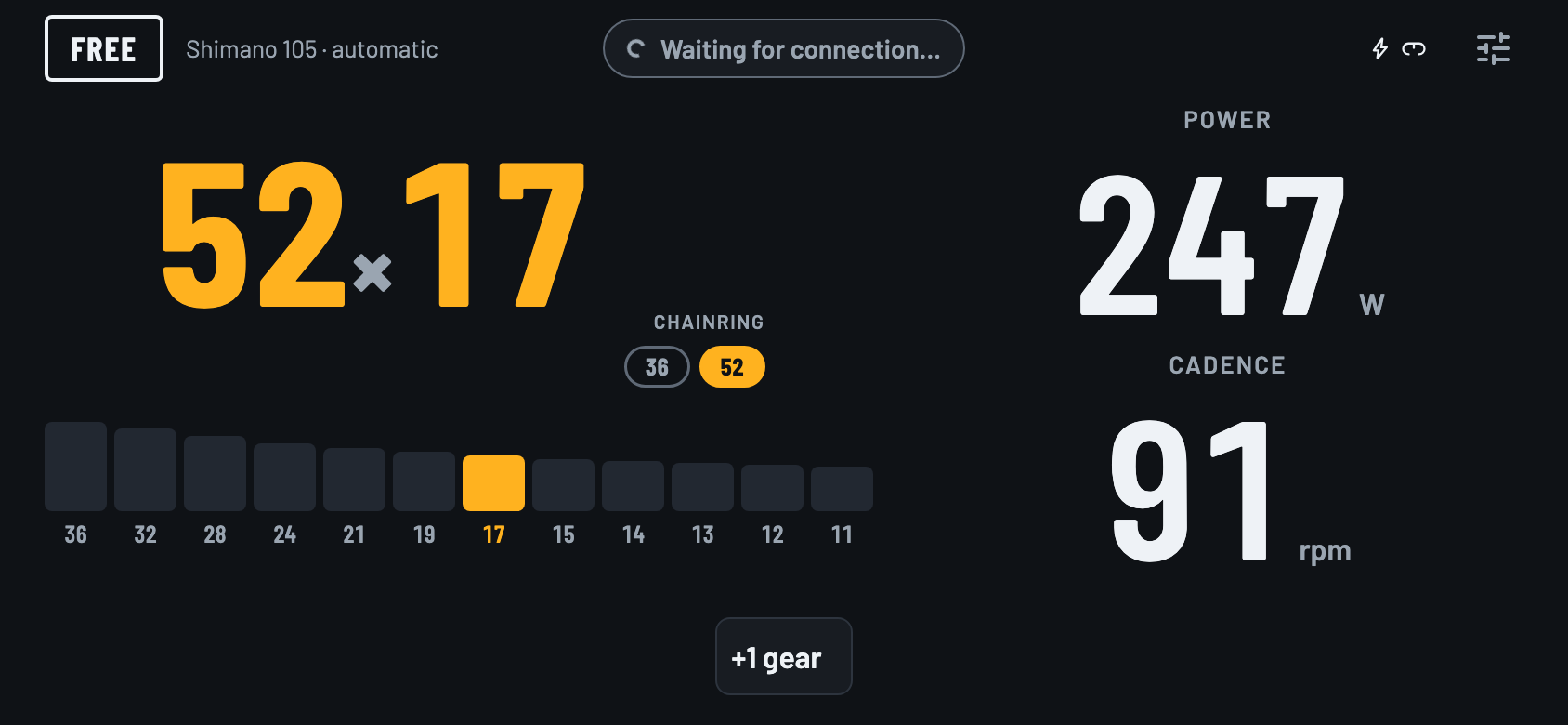
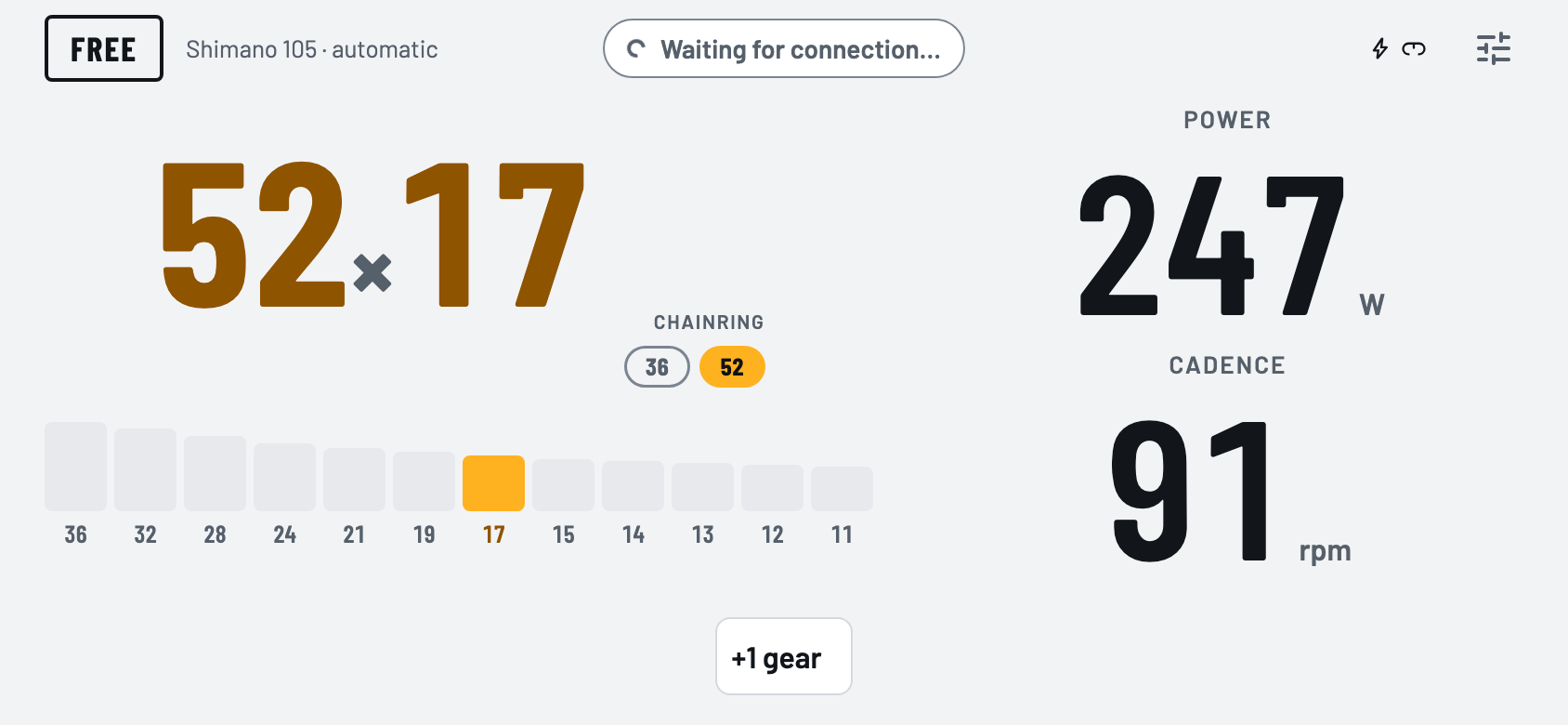
Ride screen in landscape: gear 52×17 on a Shimano drivetrain, 247 W power and 91 rpm cadenceRide screen in landscape: gear 52×17 on a Shimano drivetrain, 247 W power and 91 rpm cadence

One place for the whole setup

The phone acts as the hub: it talks to each device over Bluetooth and presents itself to Zwift as a smart trainer, over wifi or Bluetooth.

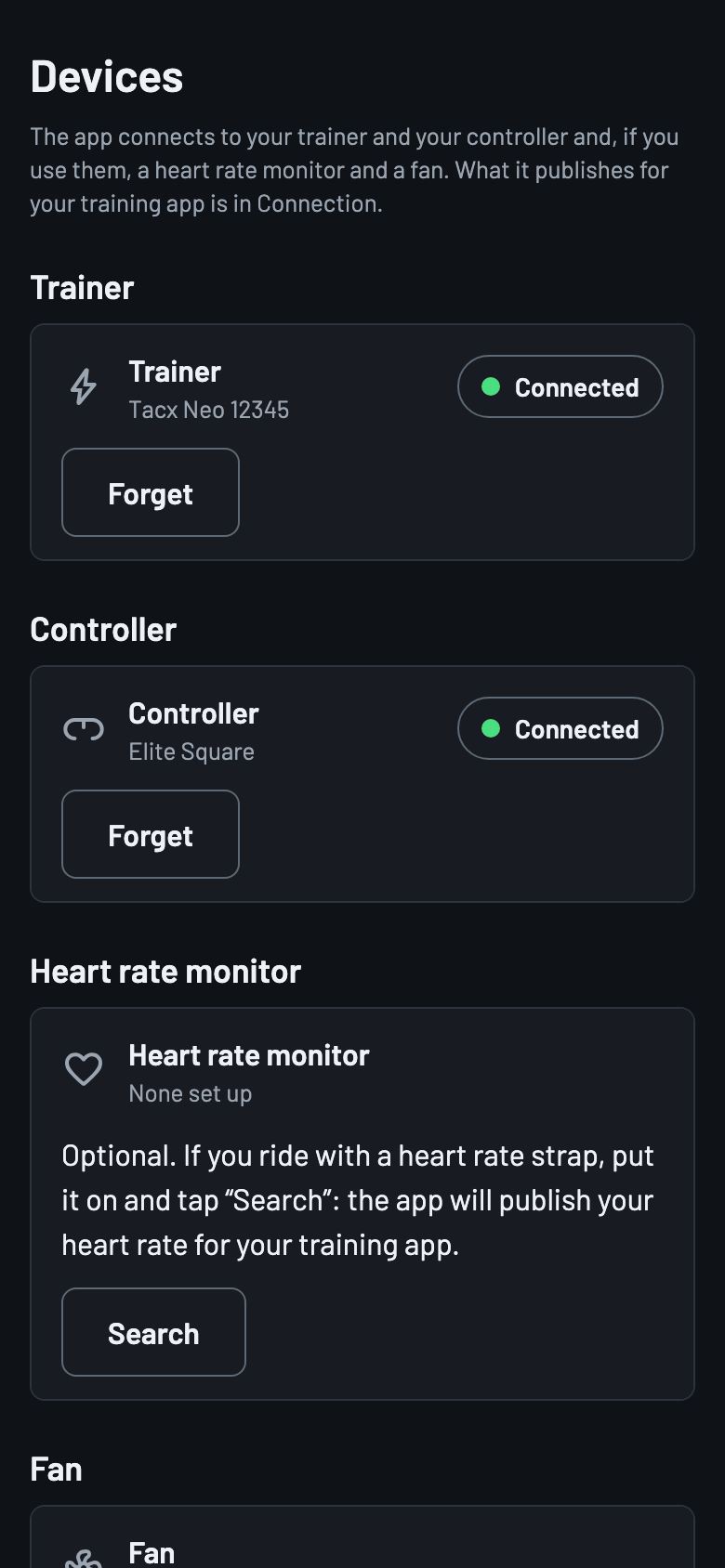
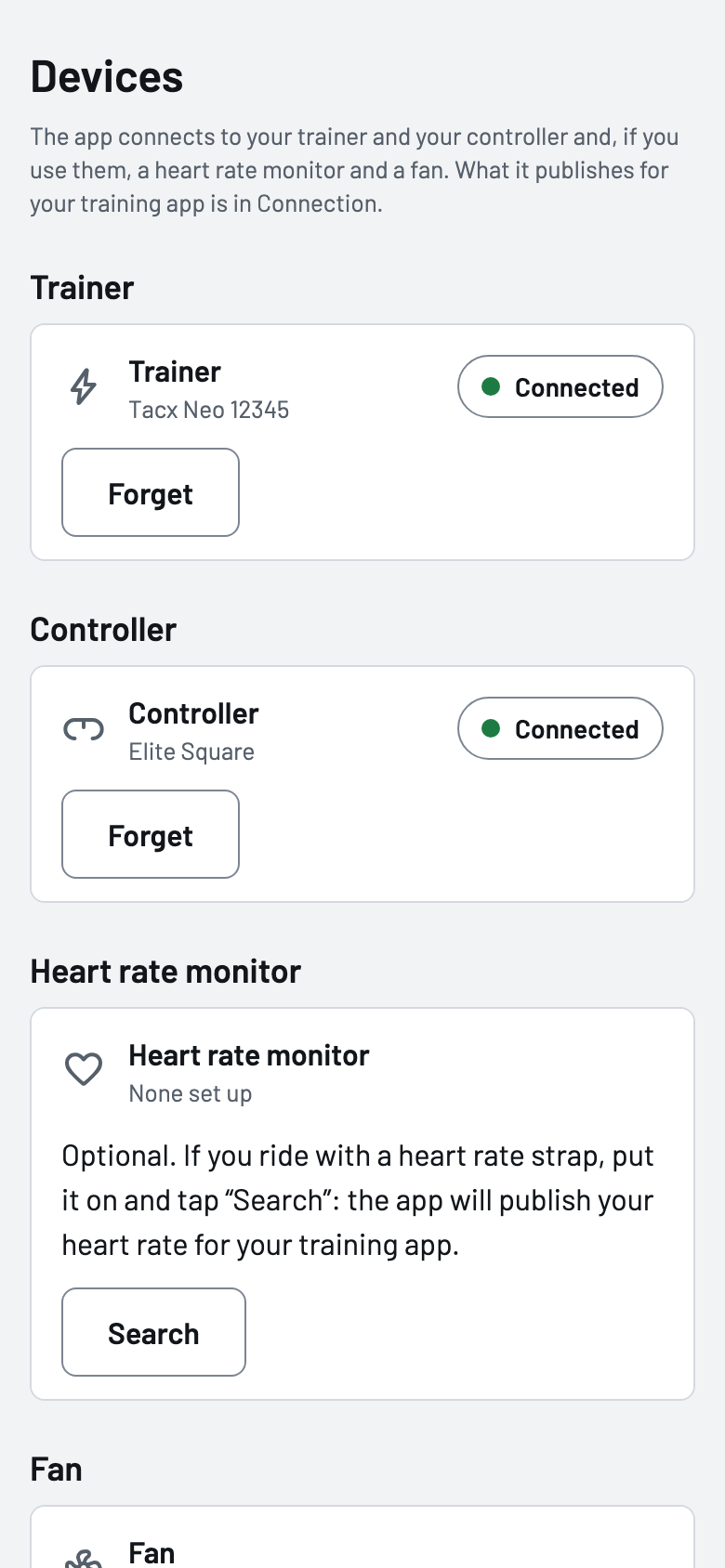
Devices

How to use it

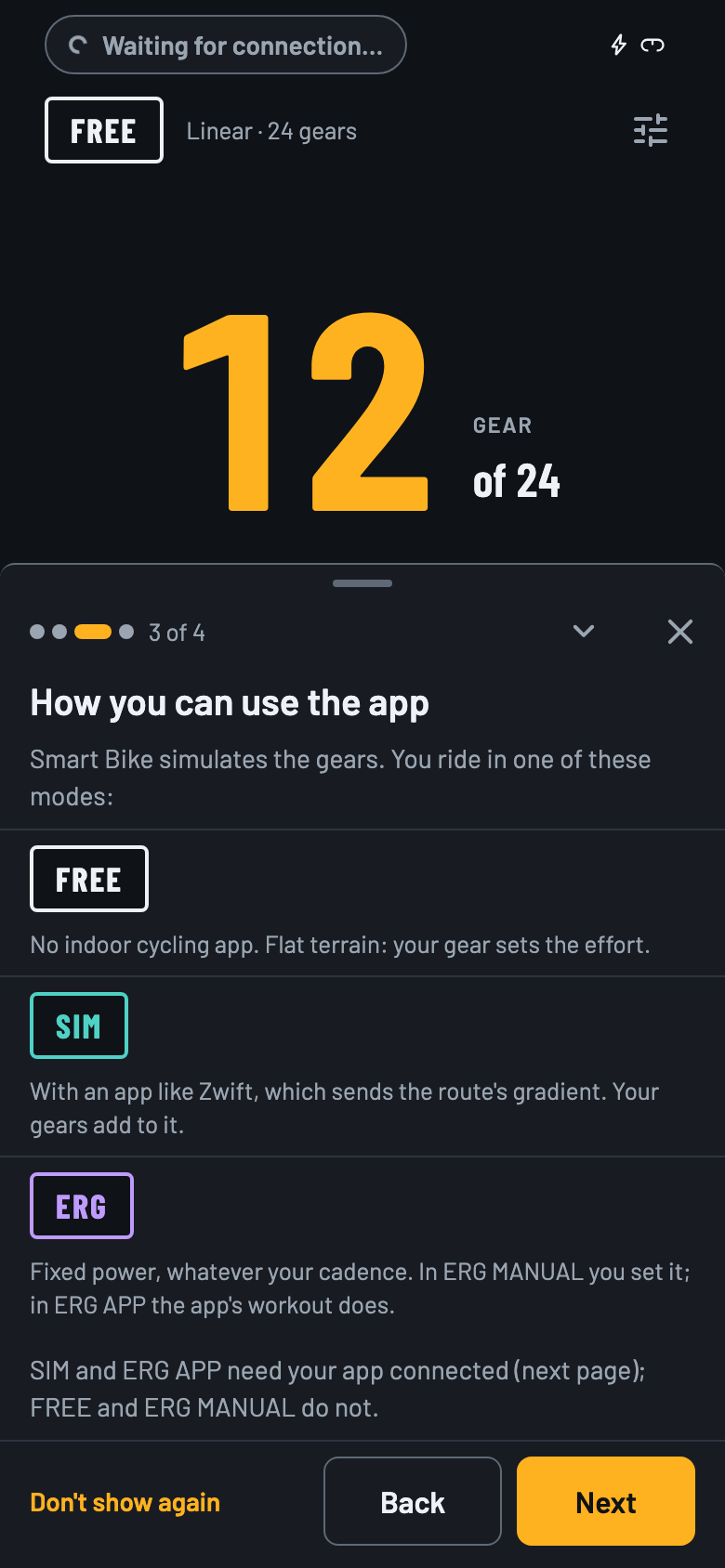
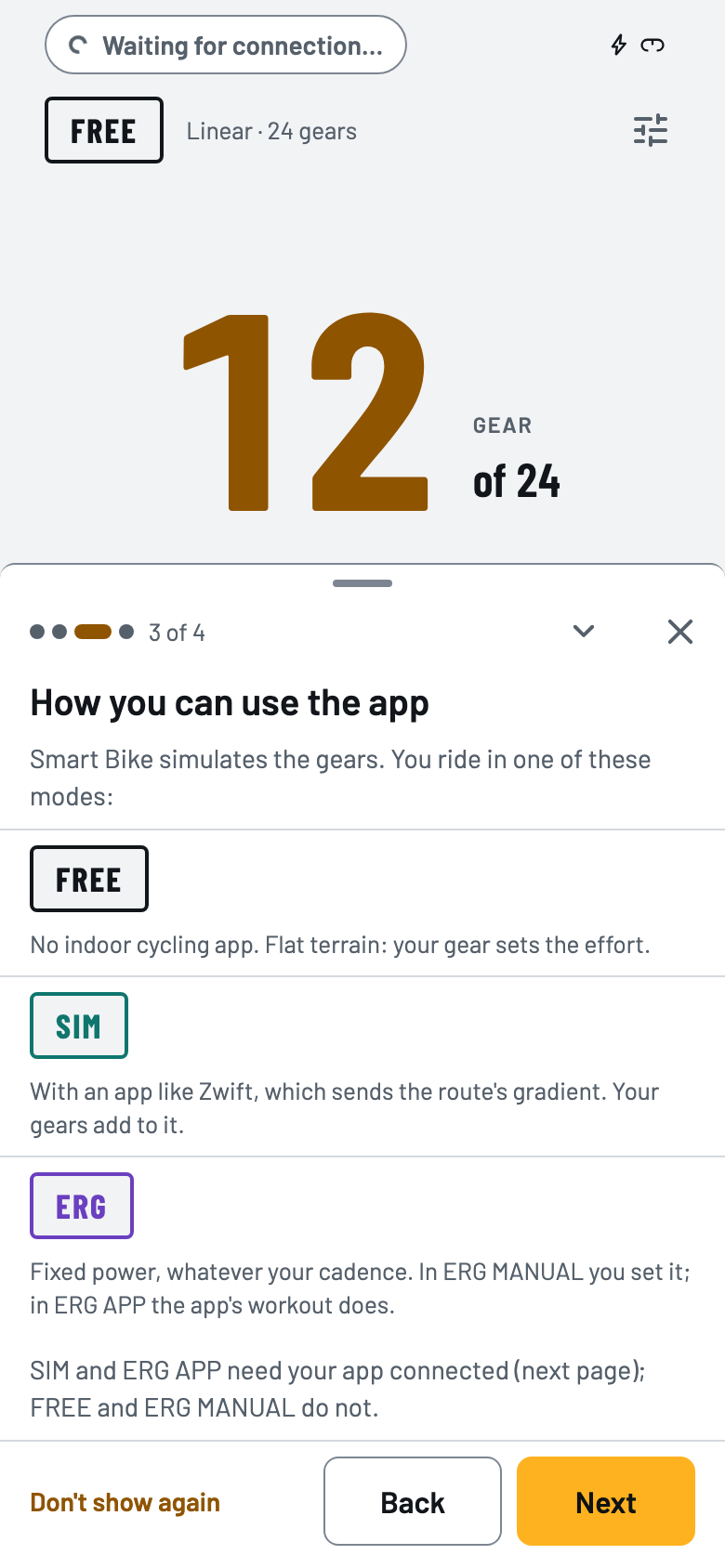
You set it up once, phone in hand, and the first time a getting started guide walks you through it. After that, opening the app connects everything on its own.

  1. Connect your devices

    In Devices, each one has its own “Search”: the trainer, the controller and, if you use them, the heart rate monitor and the fan.

  2. Choose how it connects

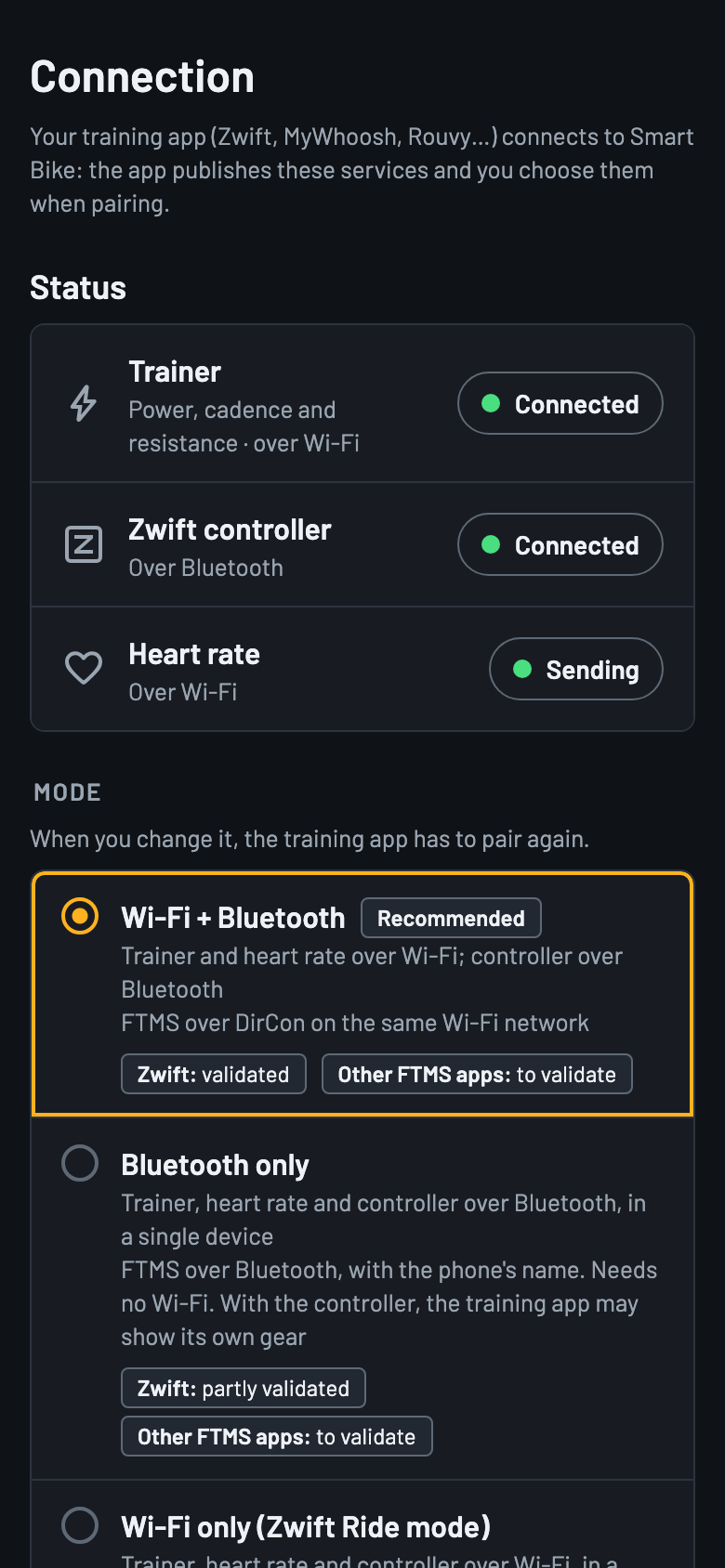
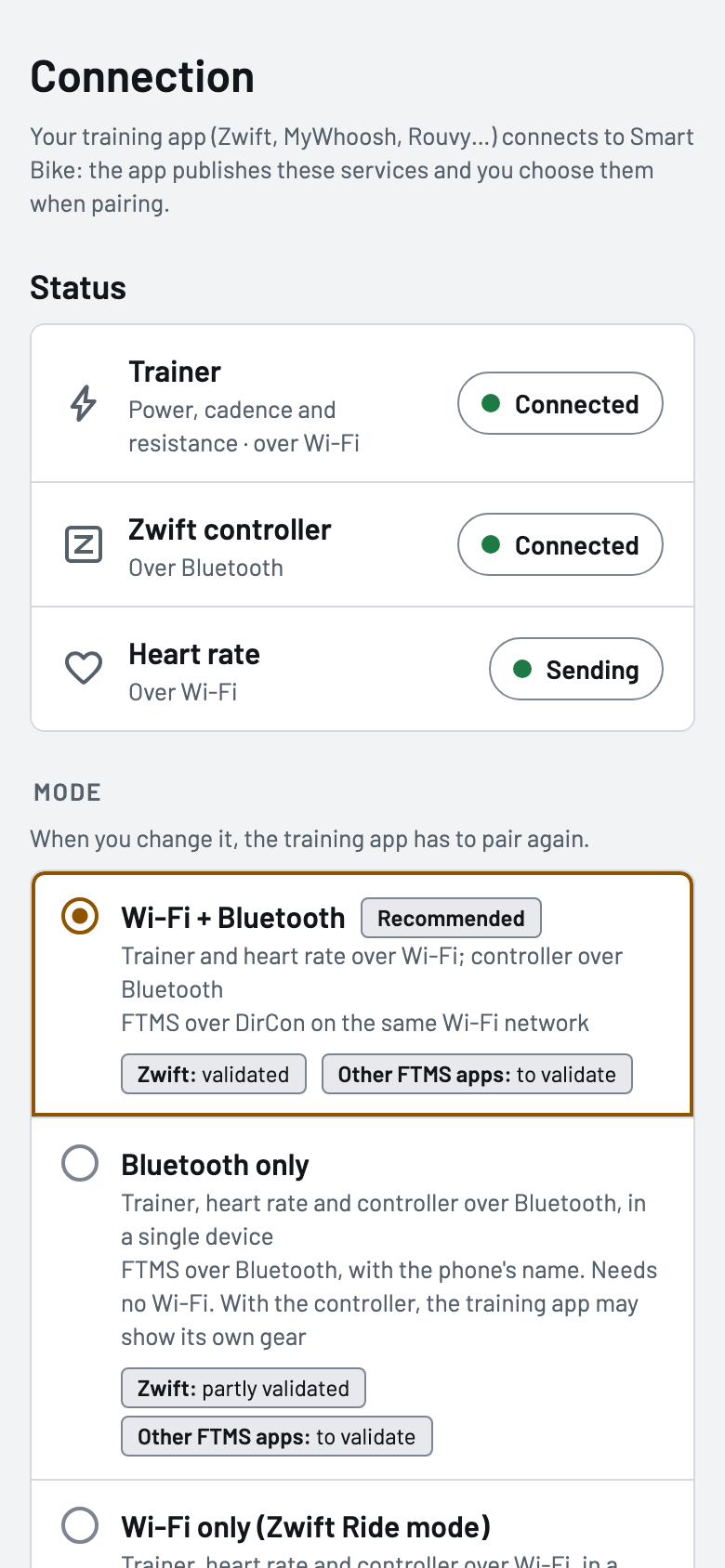
    In Connection you see what the app publishes (trainer, controller and heart rate) and whether your training app is using it, and you choose the mode: wifi + Bluetooth, Bluetooth only or wifi only.

  3. Pair in Zwift and ride

    In Zwift, pick Smart Bike as trainer, power and cadence. From then on, gears, menus and Ride On are on the Square's buttons. You can also ride without a training app, in Free mode or manual ERG.

What it does

Virtual gears

Gear shifting on a trainer that has none

The Square's buttons change gear on the Neo. The app turns each gear into more or less resistance, with a simple model or a physical one.

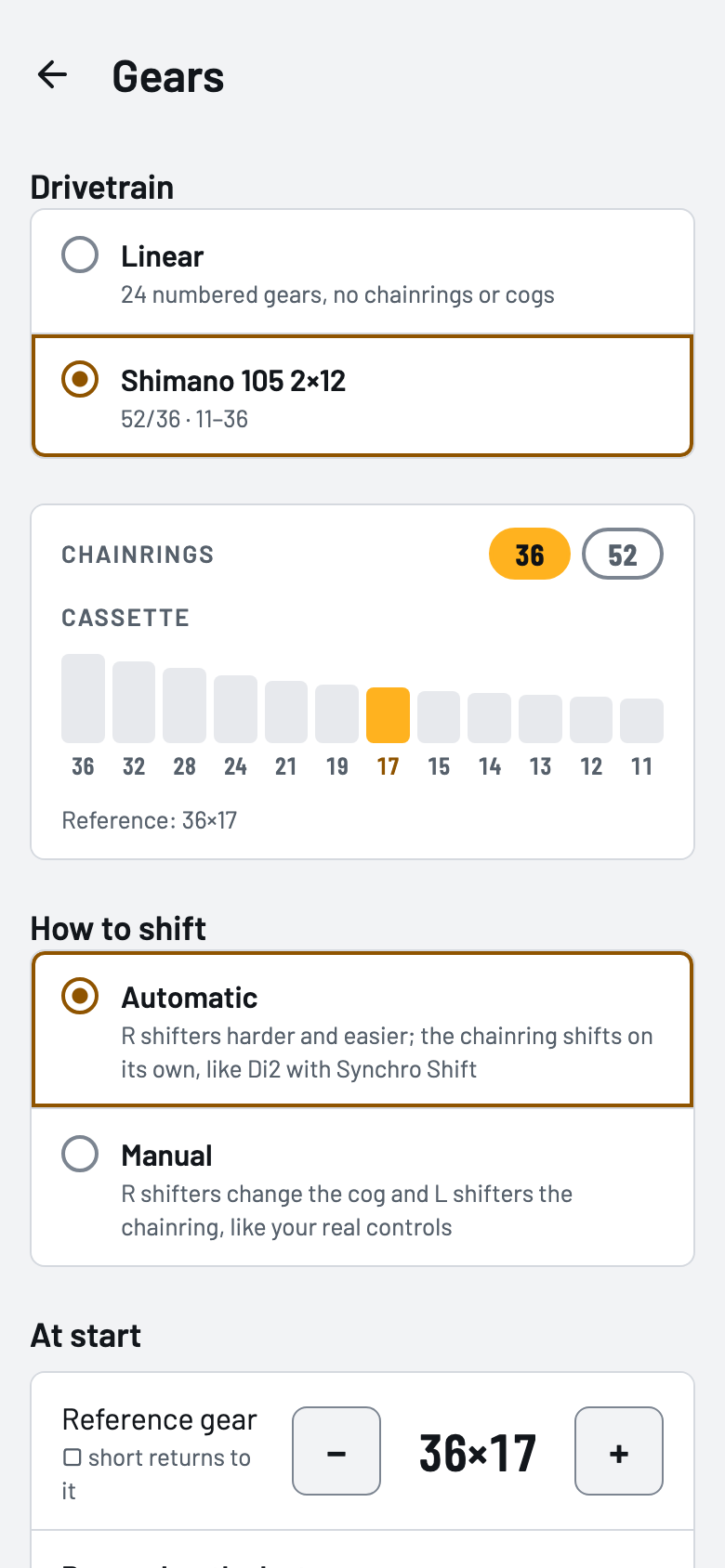
  • A linear 24-gear drivetrain or a real bike's (for now, only mine: Shimano 105 2×12).
  • Automatic or manual chainring shifts, with the drivetrain's limits.
  • The levers can behave like those of a wireless groupset (tested with Shimano Di2).
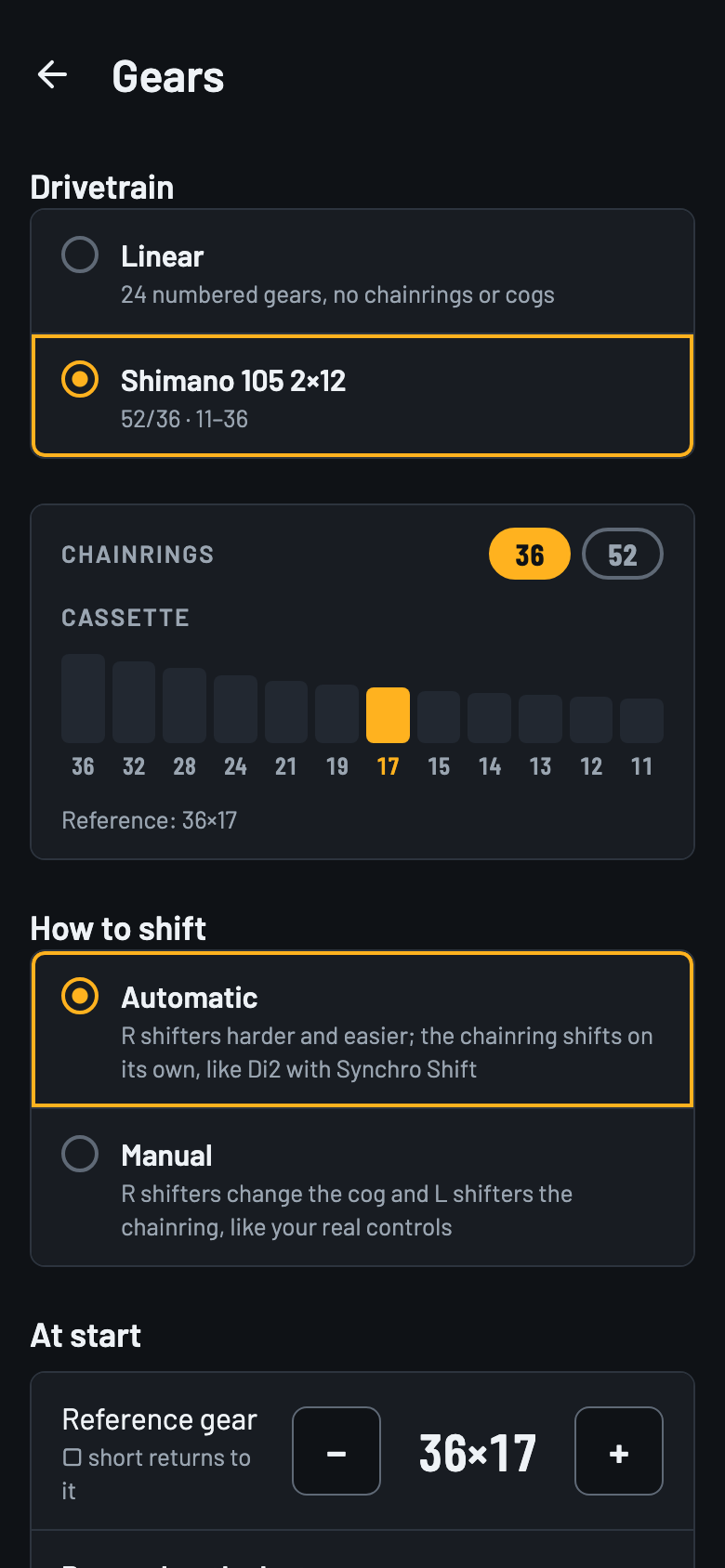
Gears screen with a Shimano 105 2×12 drivetrain in automatic modeGears screen with a Shimano 105 2×12 drivetrain in automatic mode
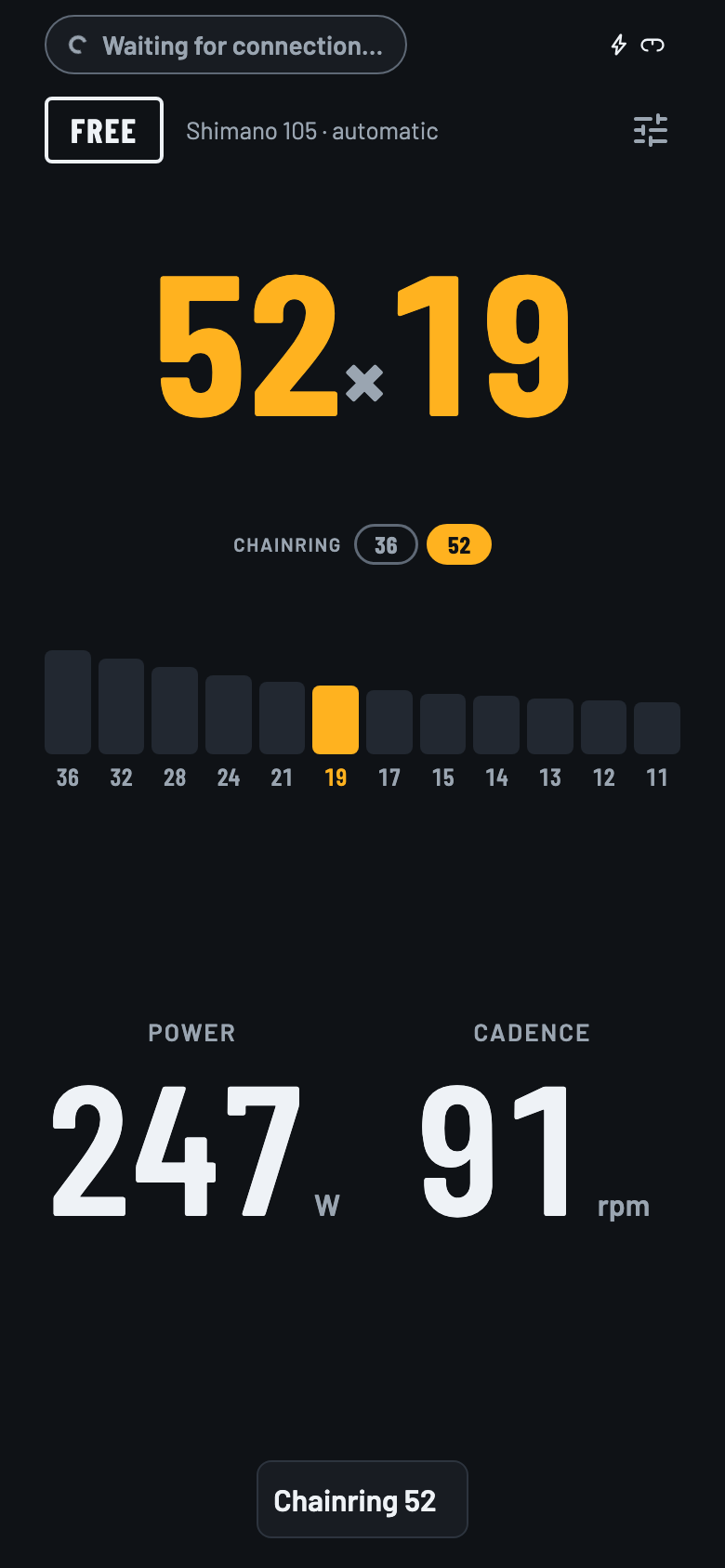
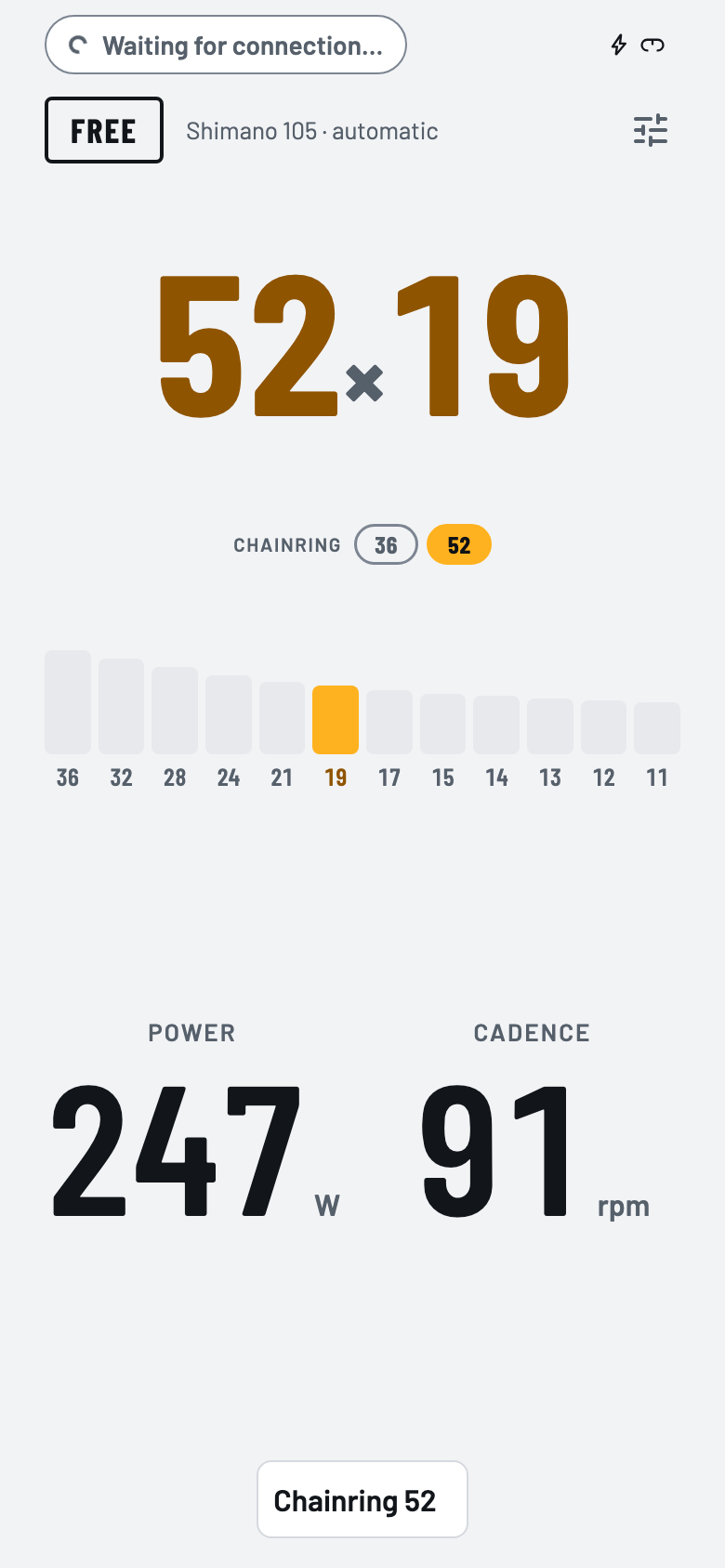
Ride screen in portrait during a chainring shift: gear 52×19 and a “Plato 52” noticeRide screen in portrait during a chainring shift: gear 52×19 and a “Plato 52” notice

Zwift and platforms

Trainer and controller for Zwift, without pairing the Square

The app publishes a smart trainer with power and cadence, a controller and your heart rate, and your training app connects to them. Tested with Zwift: it receives what the Neo measures and sends back the grade.

  • Three modes: wifi + Bluetooth (the trainer over DirCon and the controller separately), Bluetooth only, or wifi only as a single device, like a Zwift Ride.
  • Over Bluetooth, Zwift can see “Smart Bike” instead of the phone's name: if you turn it on, the app renames the phone while it publishes and gives its name back when it's done.
  • The Square's buttons reach Zwift like those of an official controller: menus, steering, braking and Ride On.
  • It speaks the smart trainer standards (FTMS, over Bluetooth and over wifi with DirCon), so other platforms such as Rouvy or MyWhoosh should be able to use it like any trainer. So far it has only been tested with Zwift, and the controller and the wifi only mode are specific to Zwift.
  • Gears are always the app's own. It also works without Zwift: in Free mode (flat terrain, your gear sets the effort) or in manual ERG, at the power you set.
Connection screen with the trainer and controller connected, heart rate being sent and the “Wifi + Bluetooth” mode selectedConnection screen with the trainer and controller connected, heart rate being sent and the “Wifi + Bluetooth” mode selected
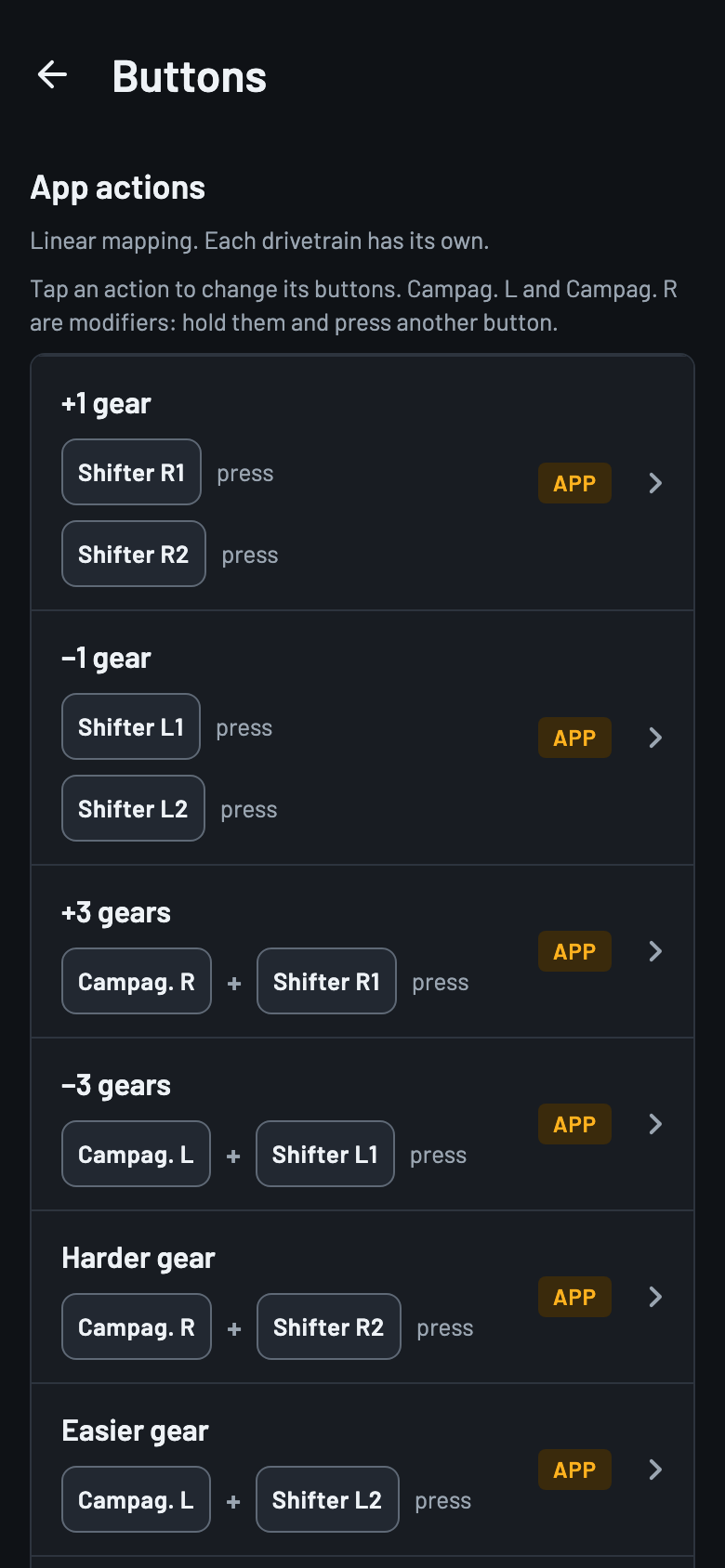
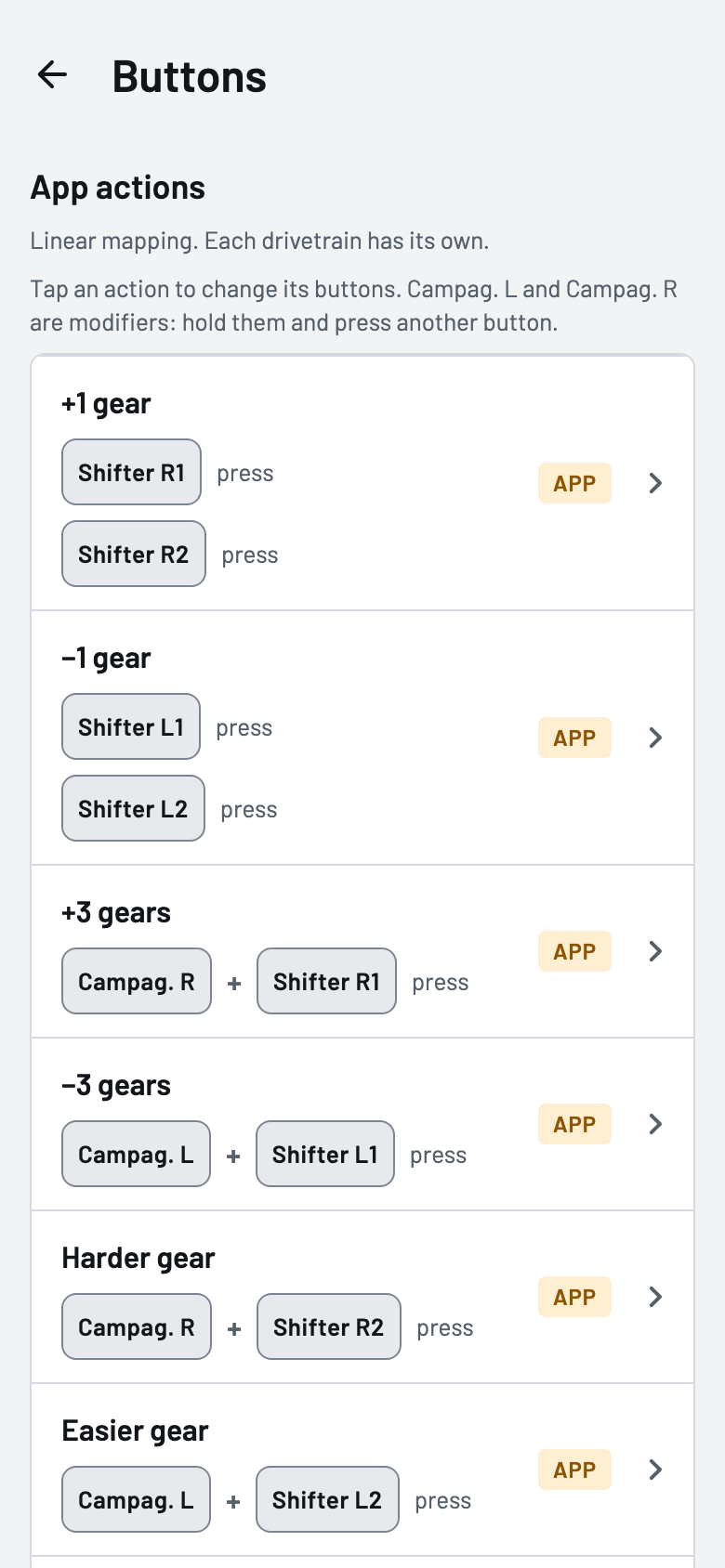
Buttons screen, inside Settings, with the app's actions assigned to the Square's buttonsButtons screen, inside Settings, with the app's actions assigned to the Square's buttons

Heart rate and fan

Heart rate to Zwift, and a fan that follows you

It forwards the heart rate from a Bluetooth strap to Zwift and controls a Wahoo KICKR Headwind fan, manually or based on your heart rate.

  • Fan speed goes up and down in 10 % steps with the Square's buttons, and the heart rate threshold of each zone is set in the app.
  • The ride screen's bar shows each device's state at a glance; Zwift's goes apart, in words.
Ride screen with the trainer, Square and fan icons, and a “Ventilador: 50 %” notice after raising its speed with a buttonRide screen with the trainer, Square and fan icons, and a “Ventilador: 50 %” notice after raising its speed with a button

Ride screen

Made to read from a metre away and use without touching it

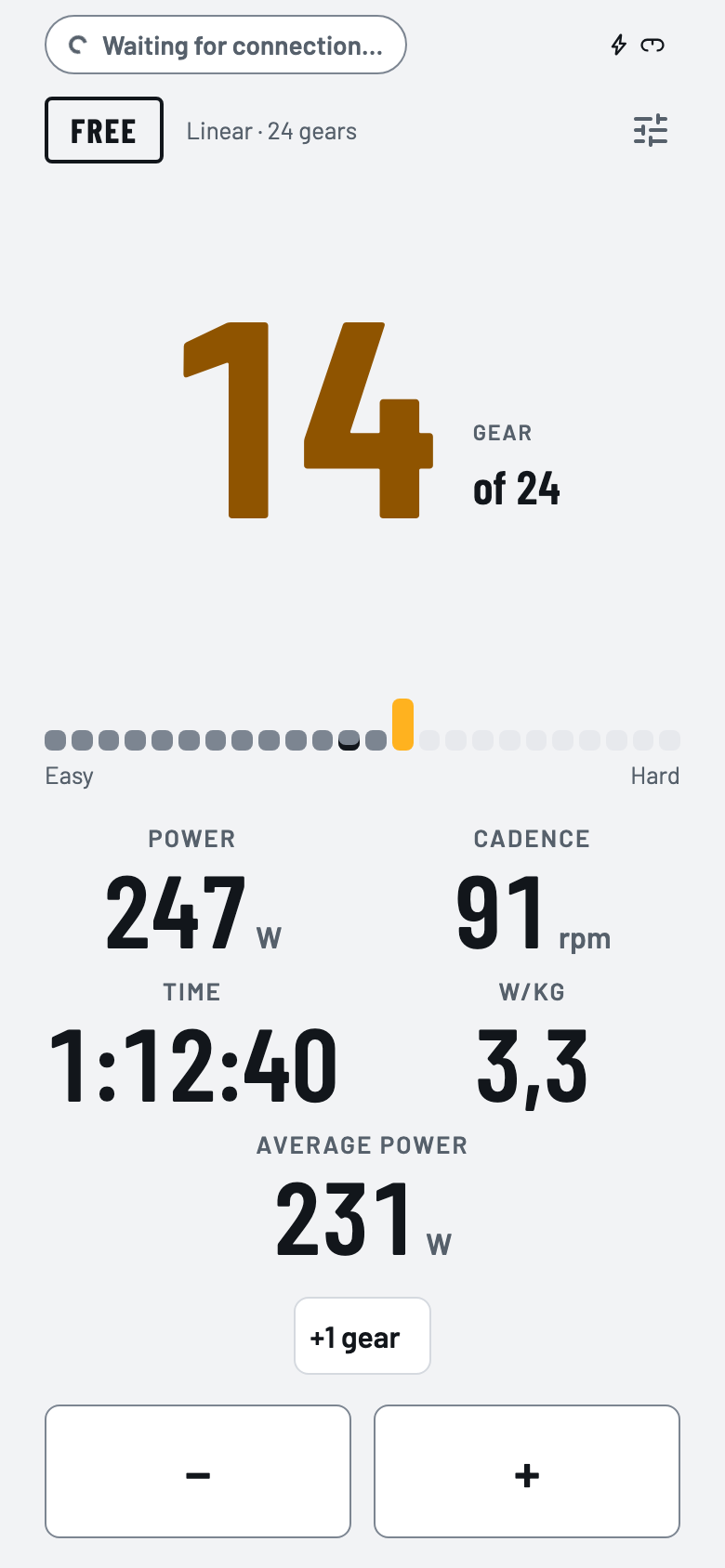
Big numbers, the gear always in view and the Square's buttons for everything. You touch the phone to set things up before or after riding.

  • Configurable buttons, gestures and actions, in Settings → Buttons.
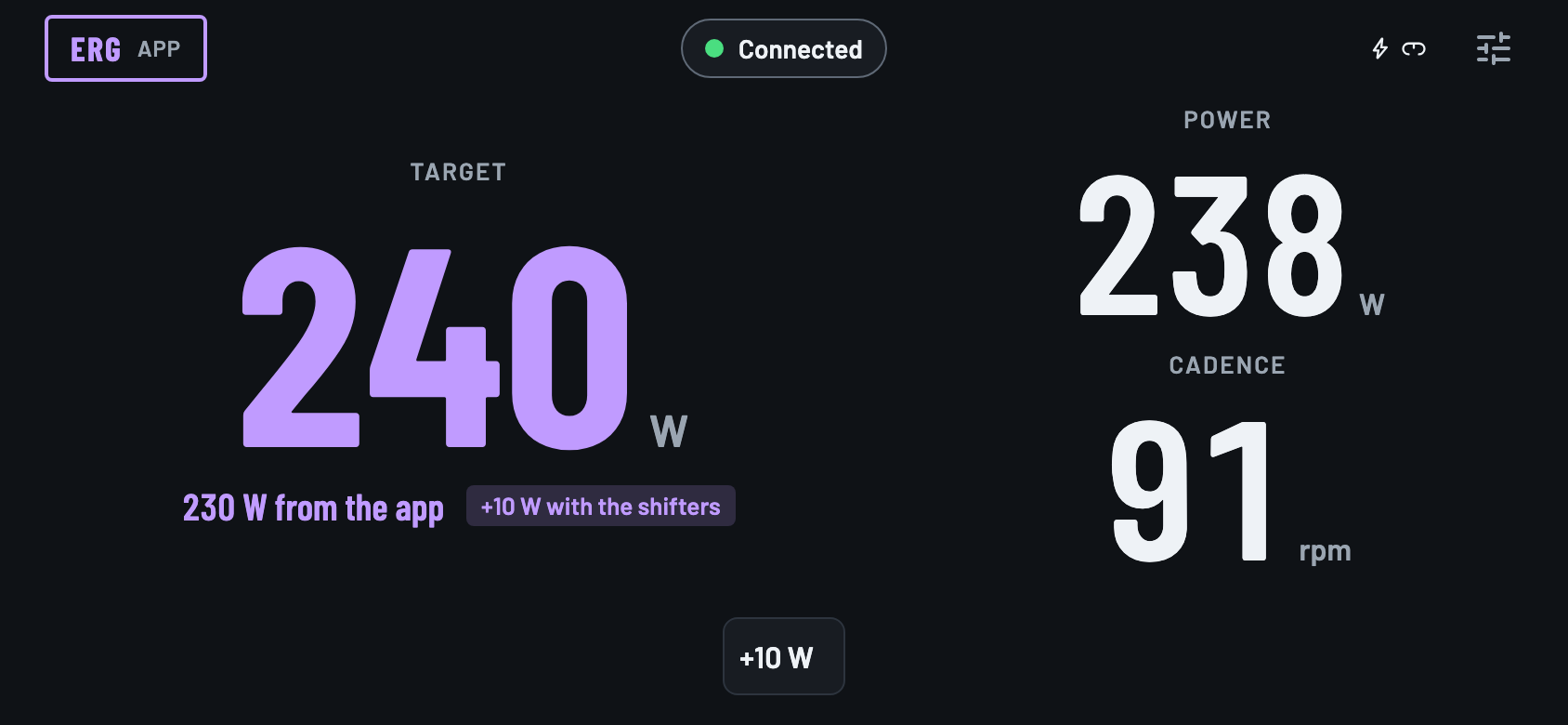
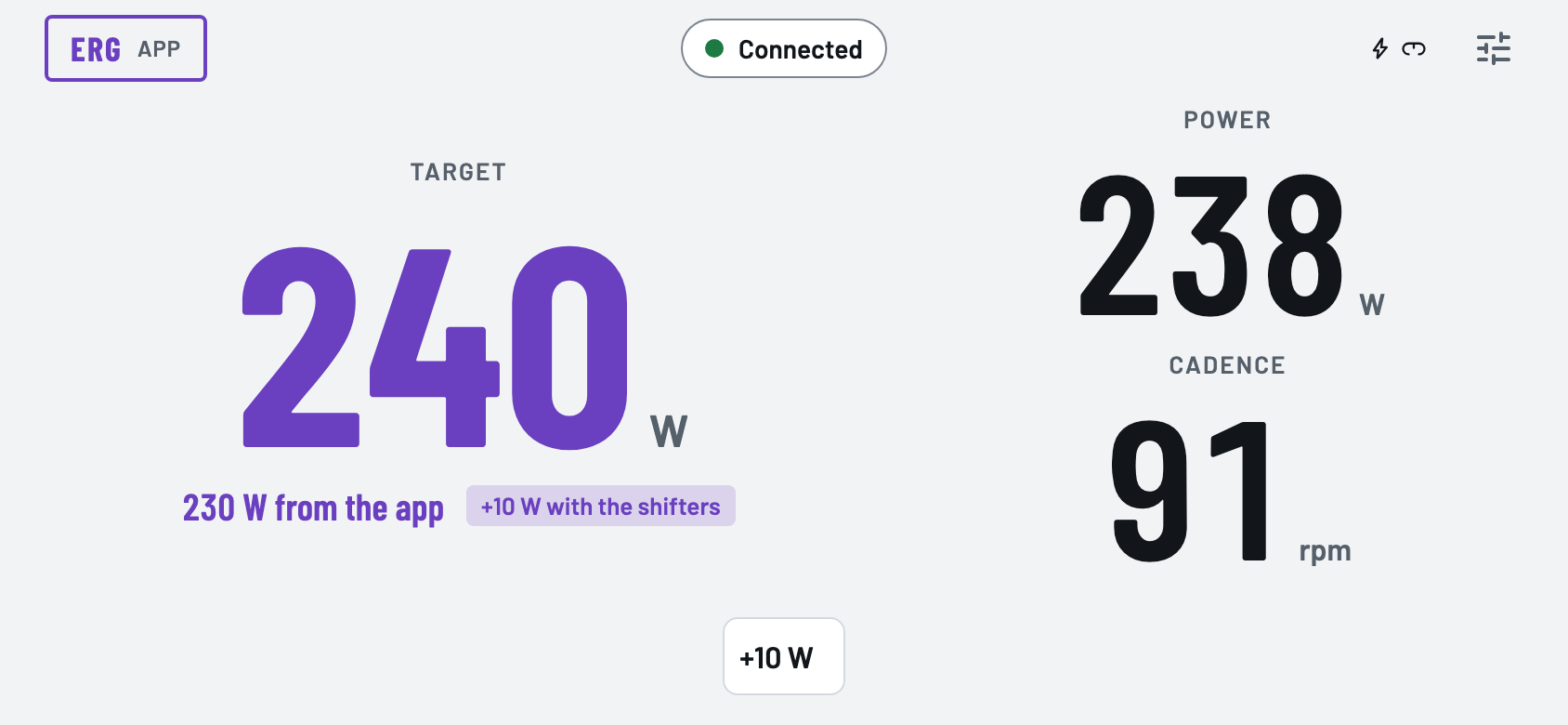
  • The mode always in view: FREE, SIM with Zwift's gradient, ERG MANUAL or a workout's ERG, with the power the levers adjust in 10 W steps.
  • One to six readings of your choice, including the gradient Zwift sends.
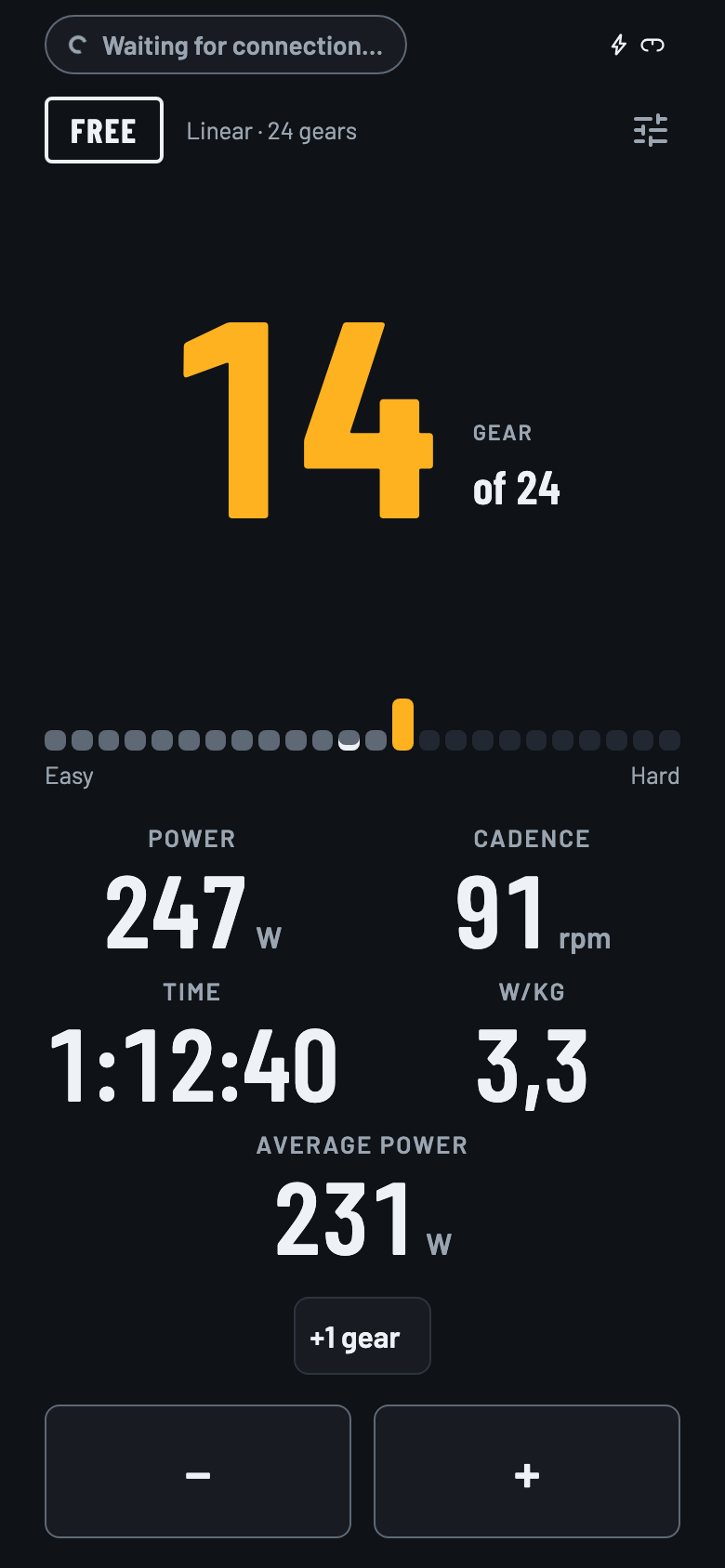
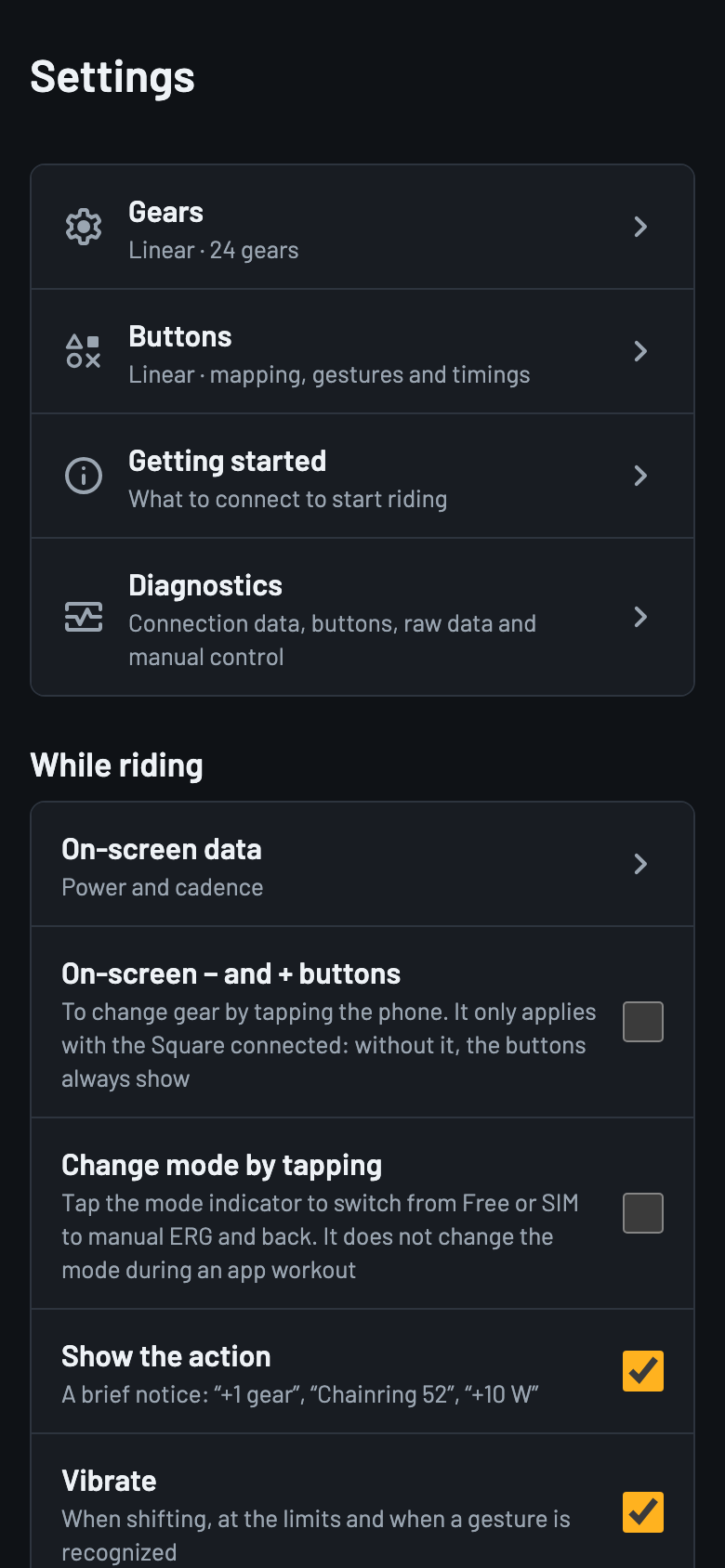
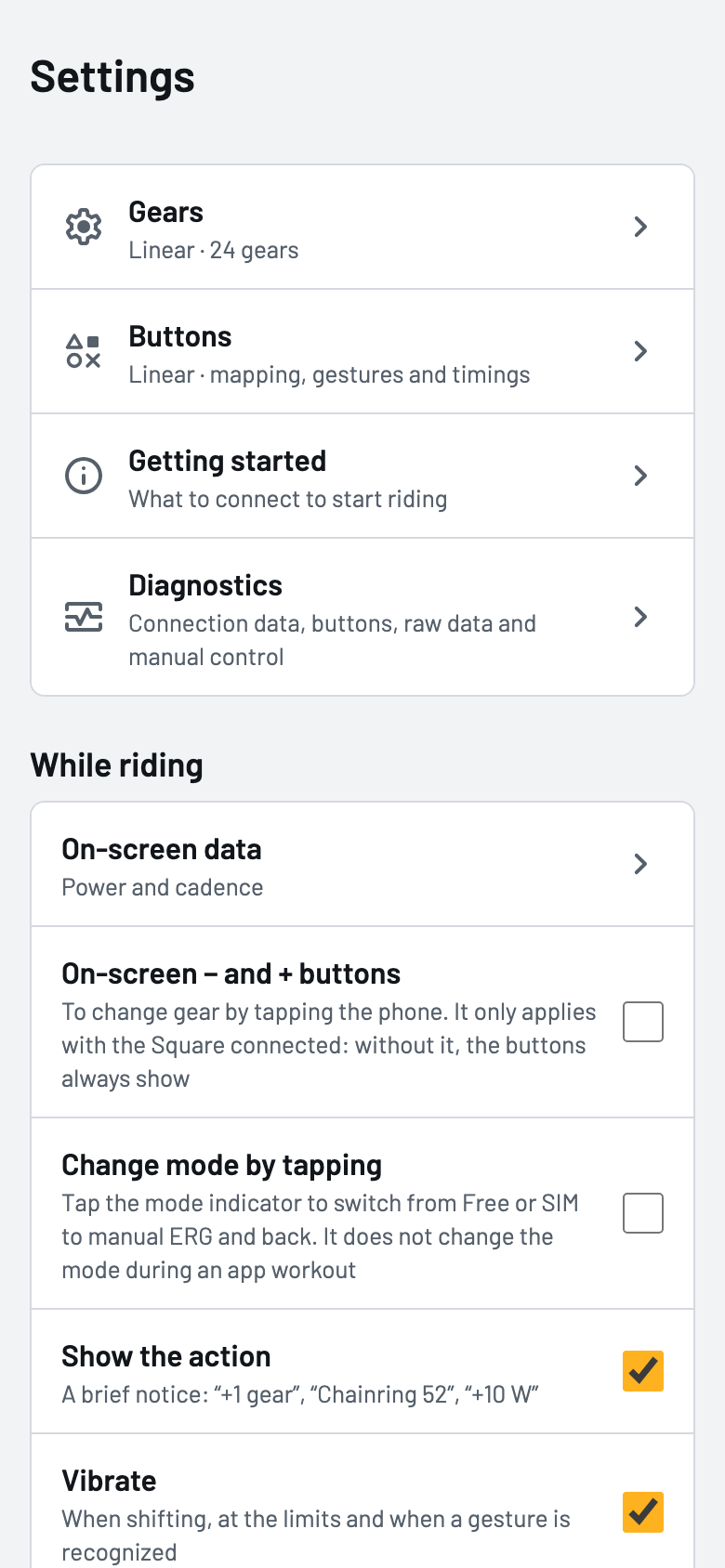
  • You can ride without the Square too: the − and + buttons appear to shift gears and, if you turn it on, you change mode by tapping its badge.
  • Light and dark theme, in landscape or portrait.
Ride screen during a Zwift ERG workout, with the target power and cadenceRide screen during a Zwift ERG workout, with the target power and cadence
Ride screen in portrait with five readings and the − and + buttons to shift by touching the phoneRide screen in portrait with five readings and the − and + buttons to shift by touching the phone

Screenshot of the app's mockup, with illustrative data.

Guide, devices, settings and diagnostics

What you don't need while riding is one tap away: a getting started guide that explains the steps and the ways to ride the first time, finding and forgetting devices, setting up the drivetrain and buttons, choosing the language (Spanish or English), backing up the configuration, watching each device's traffic when something doesn't add up and recording sessions to text files, keeping the last 20, to review or share later.

Getting started guide over the ride screen, on the “How you can use the app” page, with the FREE, SIM and ERG modesGetting started guide over the ride screen, on the “How you can use the app” page, with the FREE, SIM and ERG modes
Devices screen with the trainer and the Square connected, and the heart rate monitor and fan sectionsDevices screen with the trainer and the Square connected, and the heart rate monitor and fan sections
Settings screen with the entries for Gears, Buttons and Diagnostics, the riding options and the themeSettings screen with the entries for Gears, Buttons and Diagnostics, the riding options and the theme
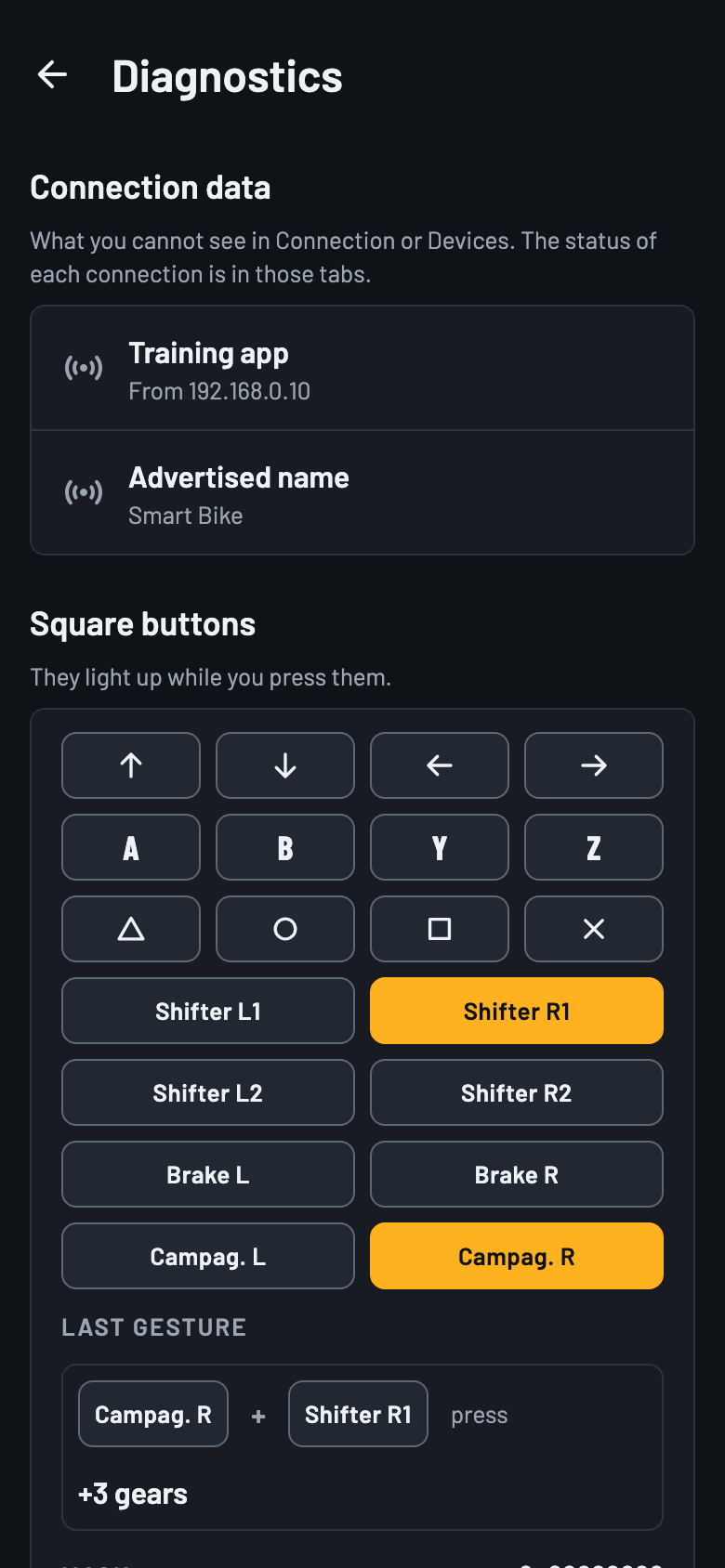
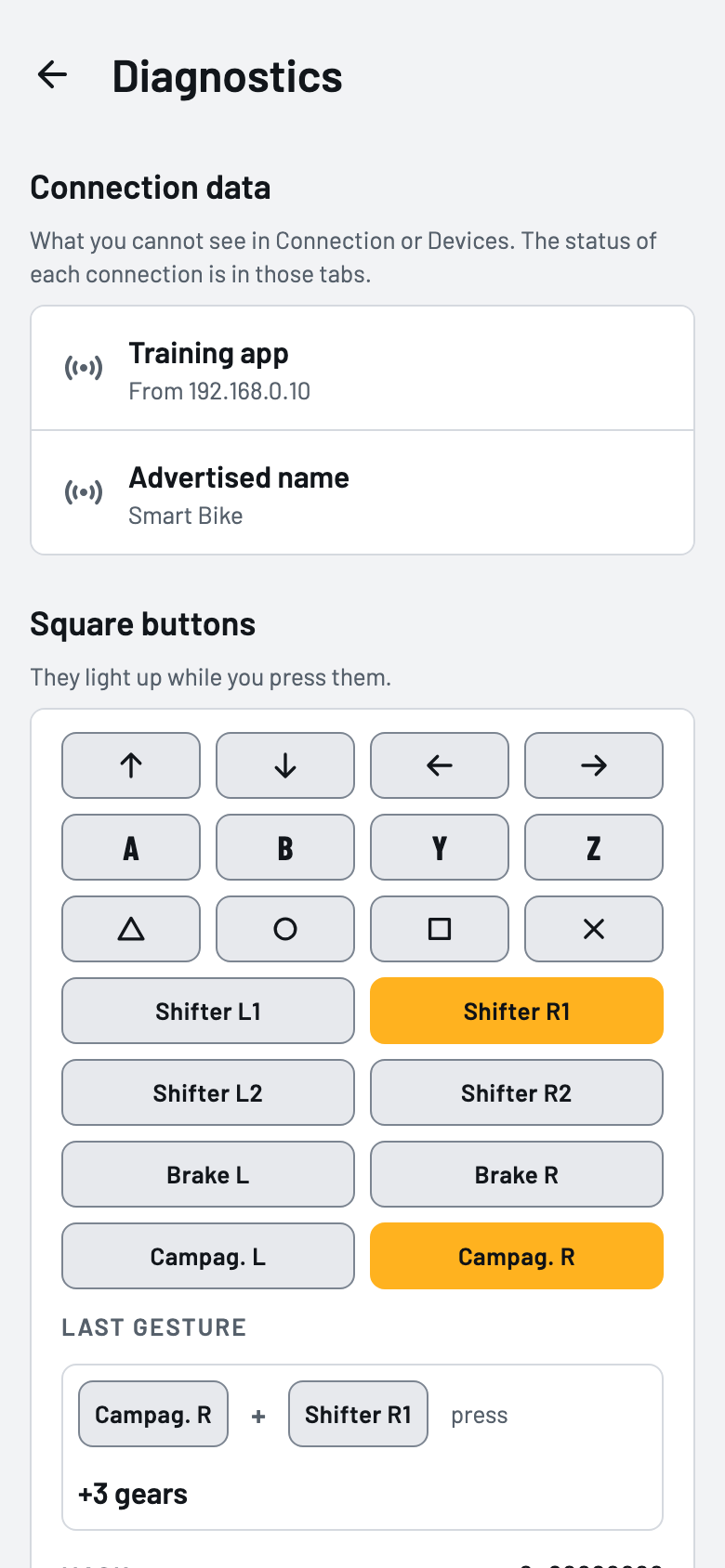
Diagnostics screen with the connection data and the Square's buttons, which light up when pressedDiagnostics screen with the connection data and the Square's buttons, which light up when pressed

Good to know

Smart Bike is a personal project, published in case it helps someone as a reference or a starting point. It is not a finished product.

Using a different trainer, controller or platform? Smart Bike is a personal project, but if you open an issue on GitHub describing your setup, adding support for it can be considered. Issues in English are welcome.

Request supportSee the plan and the state of each part (in Spanish)